SMS Settings
Settings > Communication > SMS Settings screen is the area where you provide the necessary configuration to send automatic SMS notifications to your customers on critical issues such as order statuses, shipping notifications, membership confirmations or campaign announcements.
SMS integration is very important for your e-commerce site to look professional and for your customers to be instantly informed and confident about their order processes.
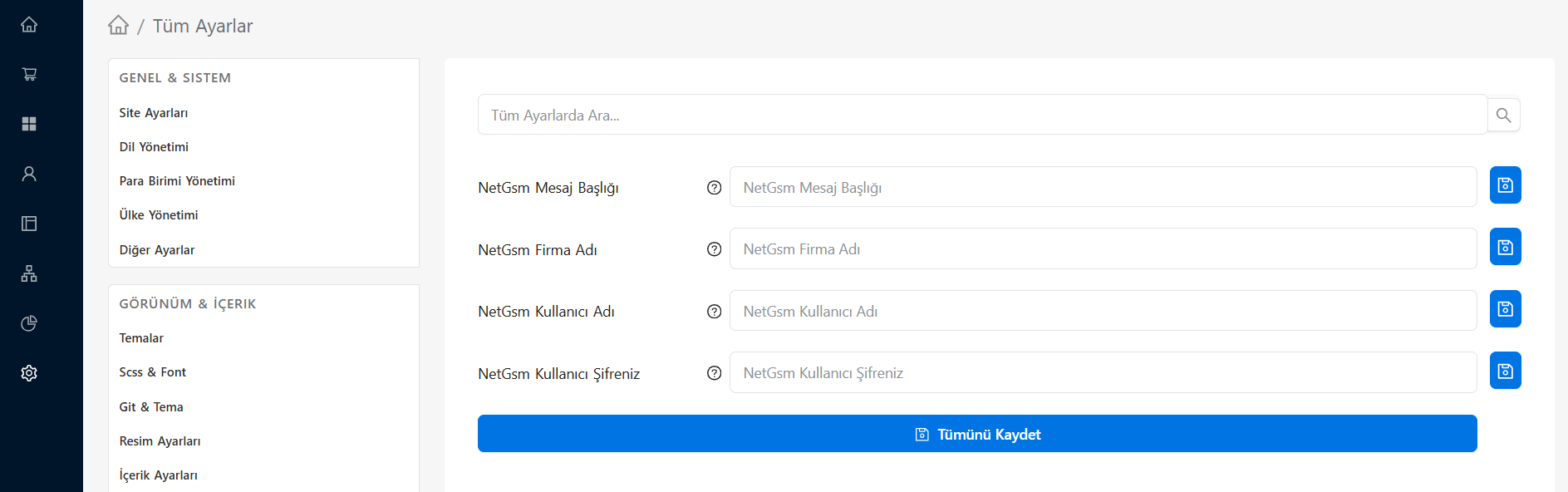
SMS Integration and Information
From this screen, you can define the "API Integration" information sent to you by the corporate SMS service provider you are working with:
- SMS Company Selection: Select the SMS company with which our infrastructure is currently integrated and from which you receive service, from the drop-down list.
- User Name (API User): Your username that you use to log in to your SMS provider panel or created specifically for API access.
- Password (API Password): Password of the relevant SMS user (It is generally recommended to have an API password created for security rather than the standard panel password).
- Sender Title (Originator): This is the name that will appear in the sender section when the message reaches your customers' phones. This title is usually the name of your company or store (pay attention to the maximum 11 character limit and the Turkish character restriction).
Important Tips and Warnings
- Originator Approval: The sender title (Originator) you write on the form must be a documented title that has been pre-approved by GSM operators through your SMS service provider. If an unapproved title is entered, messages cannot be delivered.
- Test Message: After entering the integration information and pressing the Save button, be sure to send a test order or test message to your own phone number through the system to check whether the SMS is received without any errors.
- Balance Tracking: Don't forget to check your credit/balance status with your SMS provider regularly to avoid interruption of automatic SMSes.