Product Settings
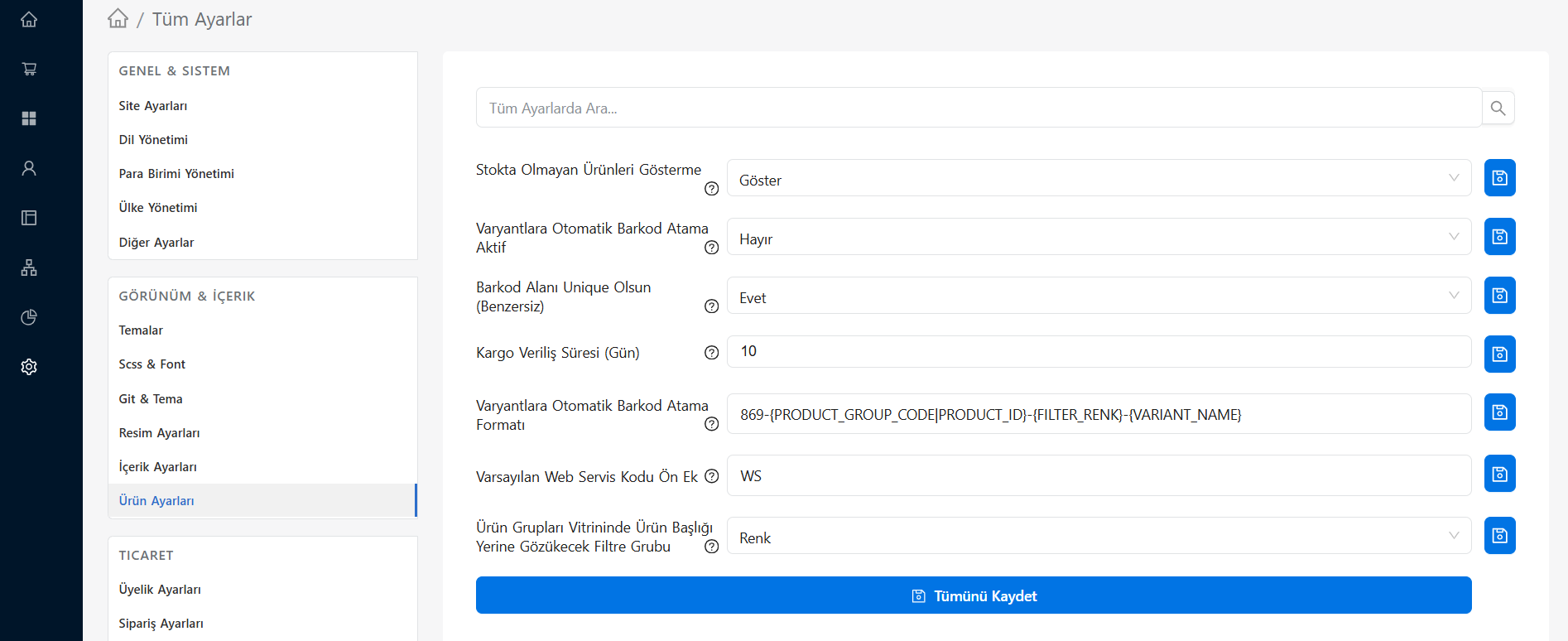
Settings > All Settings > Appearance & Content > Product Settings screen is the section where you adjust the behavior of catalog pages, product listings and product detail views on your e-commerce site.
These settings directly affect how your visitors filter products, add them to cart, and what they see on listing pages.
Listing and Catalog View
- Pagination Limit: Determines how many products will be listed on one page in the category and search results. (Recommended: numbers suitable for row/column balance, such as 24 or 36).
- Default Sorting: Controls the order in which products will be displayed in categories (Newest, Price Ascending, Price Descending, Best Sellers, etc.) when they are first opened.
- Display of Out-of-Stock Products: Allows you to set whether out-of-stock products are displayed on catalog pages or relegated to the end of the list.
Product Card Appearance Properties
It is determined what will appear on the small product cards (grid) within the category:
- Add to Cart Button: Whether the quick "Add to Cart" button will be active on product cards.
- Variant Selection: Whether products with options such as color or size can be quickly selected in the category view.
- Discount Rate Display: Whether the "X% Discount" label will appear on the product image on discounted products.
- Second Image (Hover): Whether to automatically switch to the second image of the product (if any) when the mouse hovers over the product card.
Product Detail Page
These are the rules that apply when entering the product (detail page):
- Stock Quantity Display: Whether the remaining stock quantity of the product (such as "Last 3 Products!") will be displayed numerically to customers.
- Brand / Barcode Display: You can control whether the brand name, supplier code or barcode information of the product is displayed.
- Quick Buy (Buy Now): The activation status of the button that skips the adding to cart step and directs the user directly to the payment (checkout) page.
- Comments and Evaluations: Includes moderation rules such as whether only those who purchased the products can comment or whether everyone can leave a review.