Contact Settings
The Contact Settings page, which provides your e-commerce site's direct connection with visitors and customers, is the area where you manage the basic contact details of your company.
The information you enter here is displayed automatically on your site's "Contact" page, in the footer area, and in the e-invoice or notification emails sent to customers. For this reason it is very important that the information is current and correct.
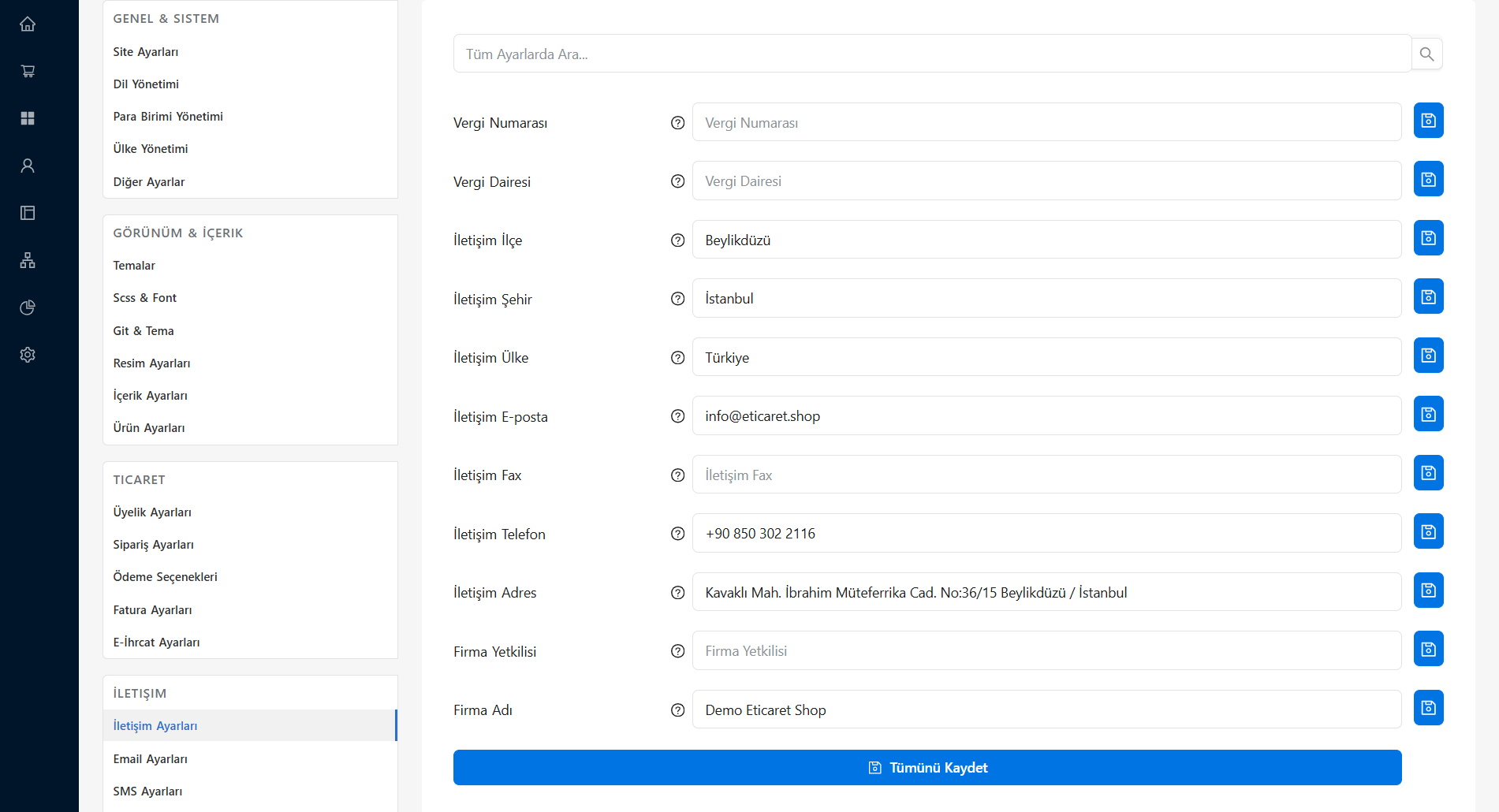
Contact Information
- Company Title: The official name of your company or brand. Used in the areas of your site where company details appear.
- Contact Email Address: The general mail address your customers can reach you at (e.g. info@companyname.com). When the contact forms on the site are filled in, notifications and customer messages arrive at this address.
- Phone: Your customer service or store contact number. It is recommended to write it in the proper format (with area code).
- Mobile: Your corporate mobile number, if any. This number is often also used to connect to WhatsApp support lines.
- Fax: Your company's fax number (you can leave it blank if you do not use one).
Address and Location Information
- Address: The full address of your store, office, or warehouse. It is used as a reference in invoicing processes and when your customers want to visit your store.
- Province / District: The physical location where your company is based.
- Map Code (Google Maps): The embed code you obtain from Google Maps so you can show your company's location on an interactive map on your contact page (e.g.
<iframe src="..."></iframe>). When you fill in this field, your visitors can easily get navigation to your address. - Working Hours: The time range indicating when your customers can reach your support unit (e.g. Weekdays: 09:00 - 18:00).
- Customer Service Number: Your corporate call center number starting with 0850 or 444, if available.
Trust Factor
Filling in contact details transparently and completely on e-commerce sites increases the sense of trust among visitors. Having clear address, working hours, and fast support (WhatsApp/Phone) information has a direct positive effect on sales conversion rates.