Payment Options
This is the area where you enter the API and integration details of the virtual POS providers (İyzico, PayTR, ParamPOS, Stripe, etc.) and banks (Garanti, Ziraat, VakıfBank, etc.) you have an agreement with so that your store can accept online payments.
To reach this page, follow the steps Settings > Commerce > Payment Options from the left menu in your admin panel.
You can examine the sections of this settings page in detail in the images below:
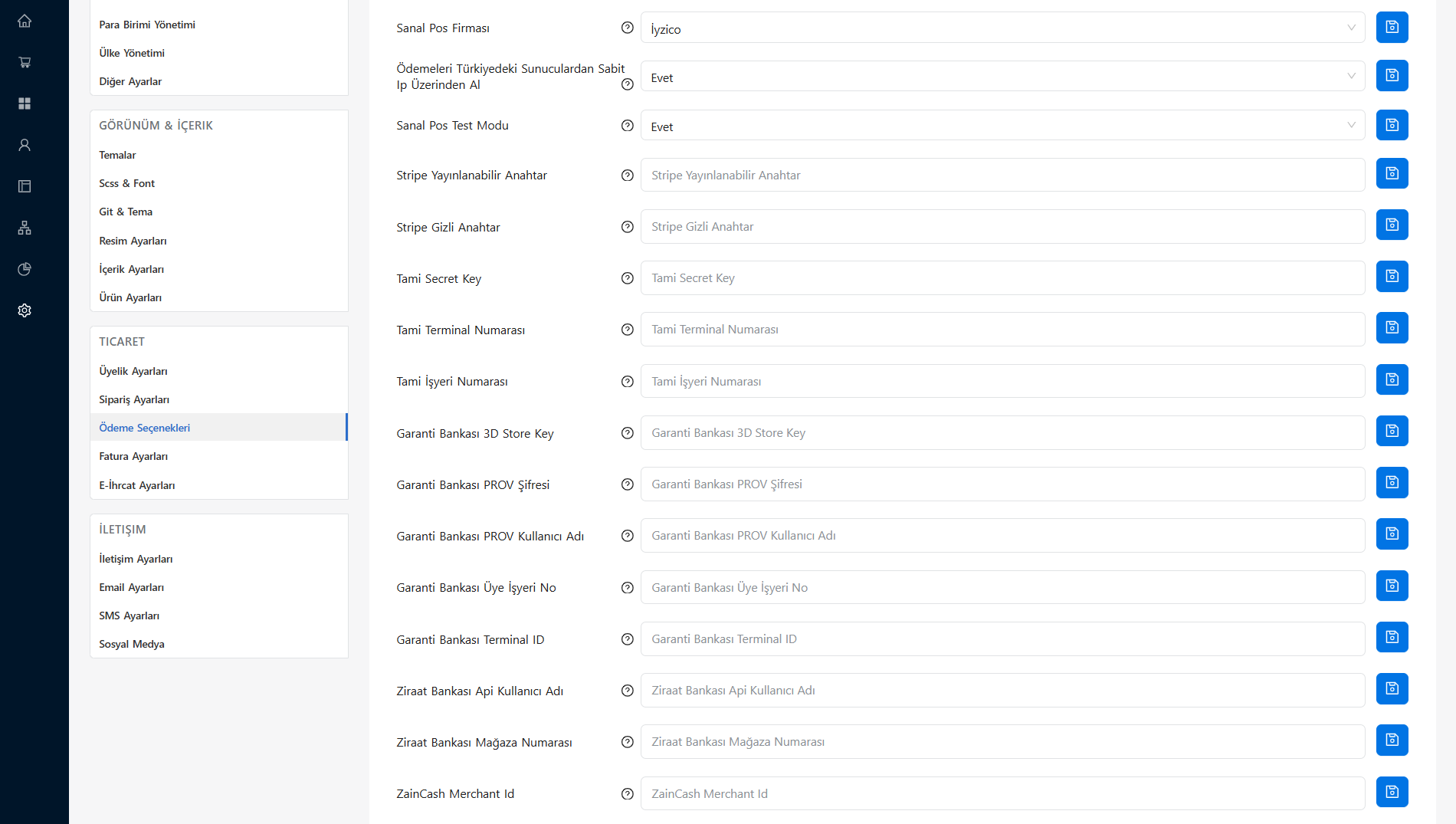
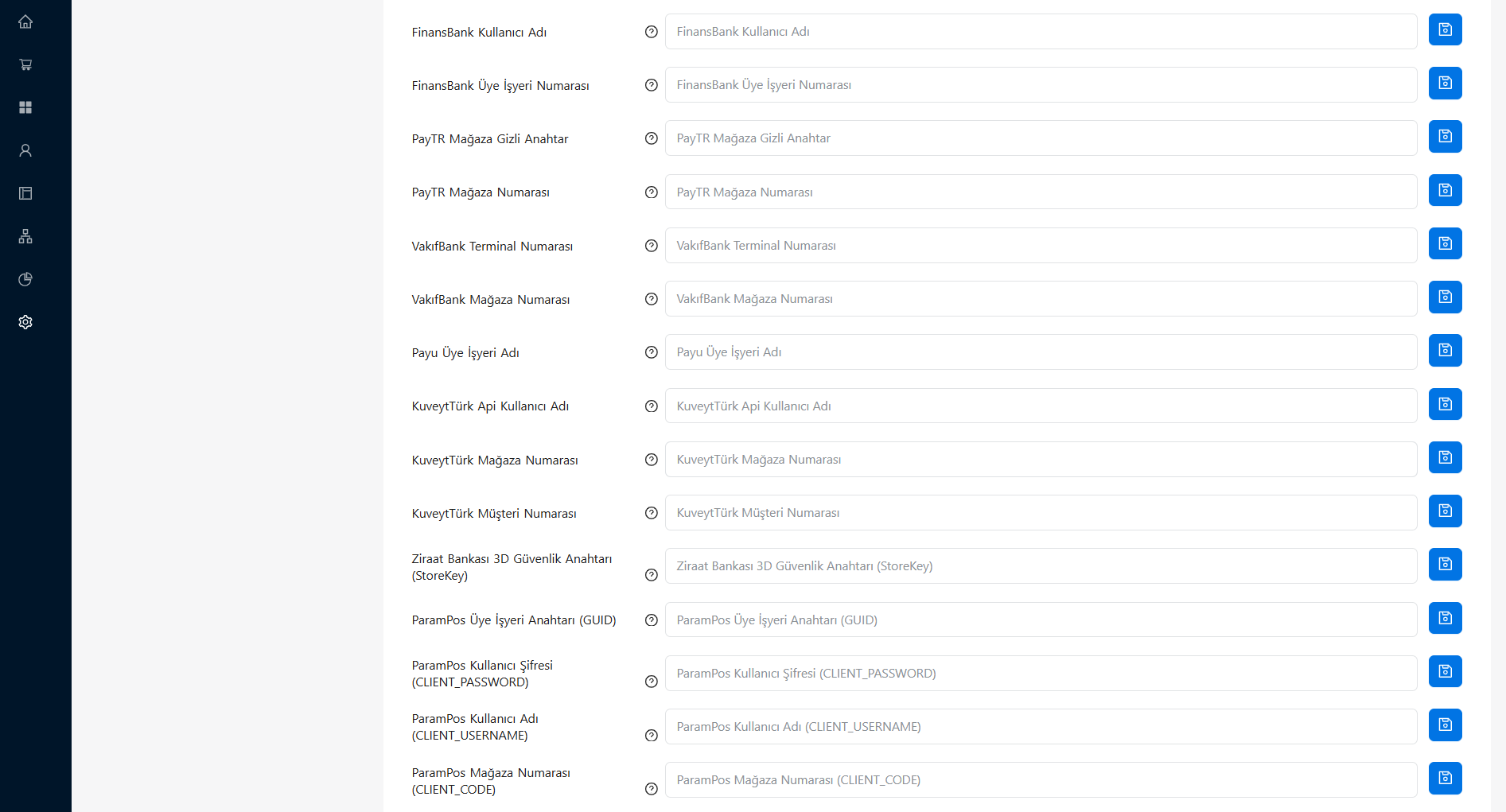
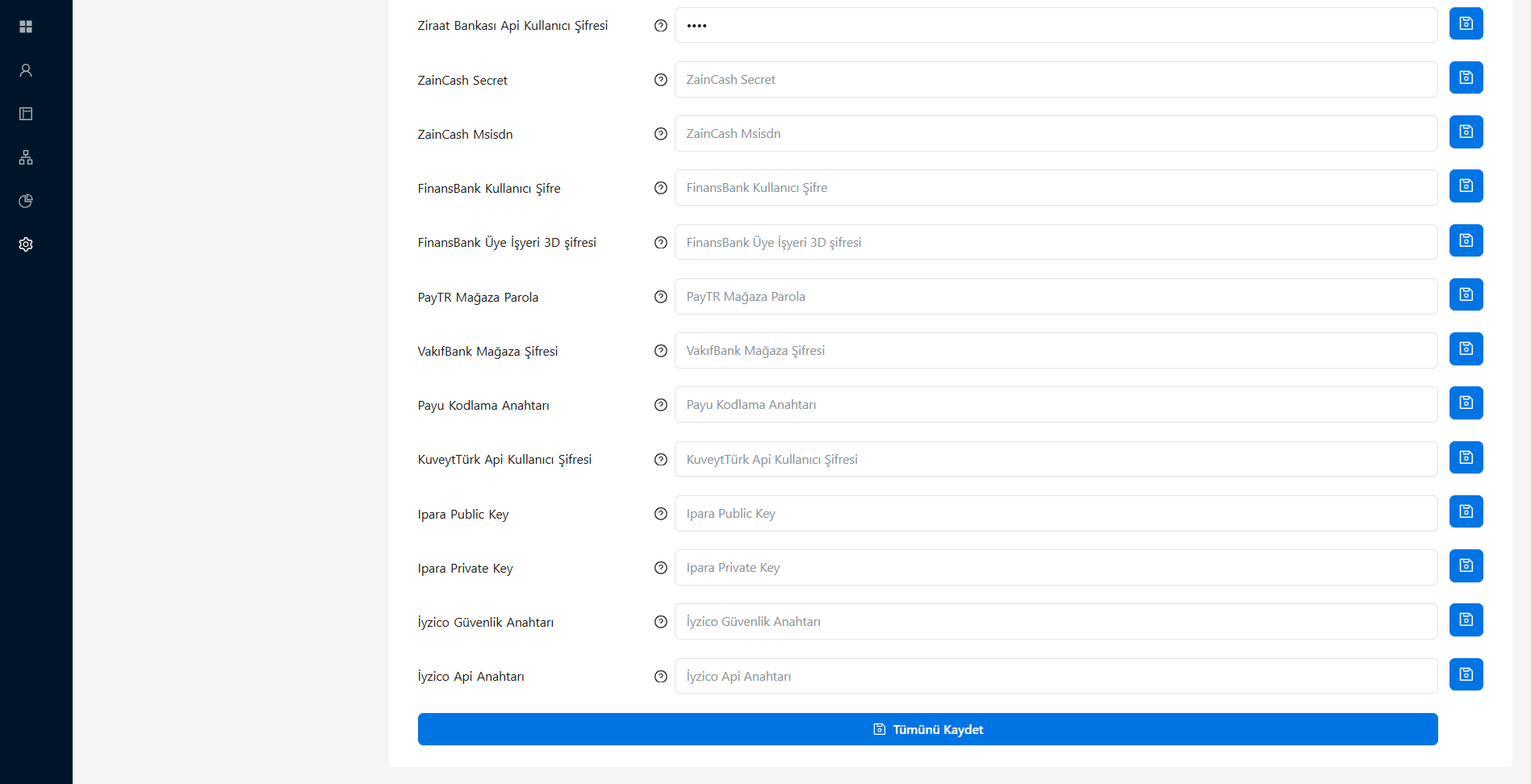
Basic POS Settings
At the very top of the page are the basic settings with which you decide how the system operates in general:
| Setting Title | Description |
|---|---|
| Virtual Pos Provider | The dropdown menu where you select which payment infrastructure (e.g. İyzico, PayTR) will be active on your site. |
| Receive Payments from Servers in Türkiye via Static IP | In line with the security requirements of Türkiye-based banks, this should be set to "Yes" so that payments are transmitted over your server's static IP. |
| Virtual Pos Test Mode | You can set this to "Yes" if you want to make test payments before taking the integration live. |
Bank and Provider Integration Information
Each bank or virtual POS institution provides you with different identity and security details for integration. The list below groups the basic information that common providers will ask you for. You should obtain this information from the relevant provider's Merchant / Developer (API) panels and enter it into the fields on the form.
İyzico
- İyzico Api Key
- İyzico Secret Key
PayTR
- PayTR Merchant Number
- PayTR Merchant Secret Key
- PayTR Merchant Password
ParamPos
- ParamPos Merchant Number (CLIENT_CODE)
- ParamPos Username (CLIENT_USERNAME)
- ParamPos User Password (CLIENT_PASSWORD)
- ParamPos Merchant Key (GUID)
Stripe
- Stripe Publishable Key
- Stripe Secret Key
Garanti Bank
- Garanti Bank Merchant No
- Garanti Bank Terminal ID
- Garanti Bank PROV Username
- Garanti Bank PROV Password
- Garanti Bank 3D Store Key
Ziraat Bank
- Ziraat Bank Merchant Number
- Ziraat Bank Api Username
- Ziraat Bank Api User Password
- Ziraat Bank 3D Security Key (StoreKey)
Other Supported Infrastructures
In addition to the above, your E-Ticaret Shop panel supports many popular payment infrastructures such as FinansBank, VakıfBank, KuveytTürk, Payu, Ipara, Tami, and ZainCash. You only need to fill in values such as Terminal Number, Secret Key, Merchant ID, Encryption Key, Username, and Password belonging to these providers into the relevant fields on the form by looking them up in your own provider panel.
💡 Important Note: After entering the information completely, do not forget to save your settings by pressing the "Save All" button at the bottom or on the right side of the page. Once you have completed a successful transaction in test mode, you can switch to live mode.