E-Export Settings
Thanks to the e-export settings you can open your store to the global market and serve customers who visit your site from different countries in their own currency, in their own language, and with price/shipping options specific to them.
To configure these settings, follow the path Settings > Commerce > E-Export Settings from the left menu in your admin panel.
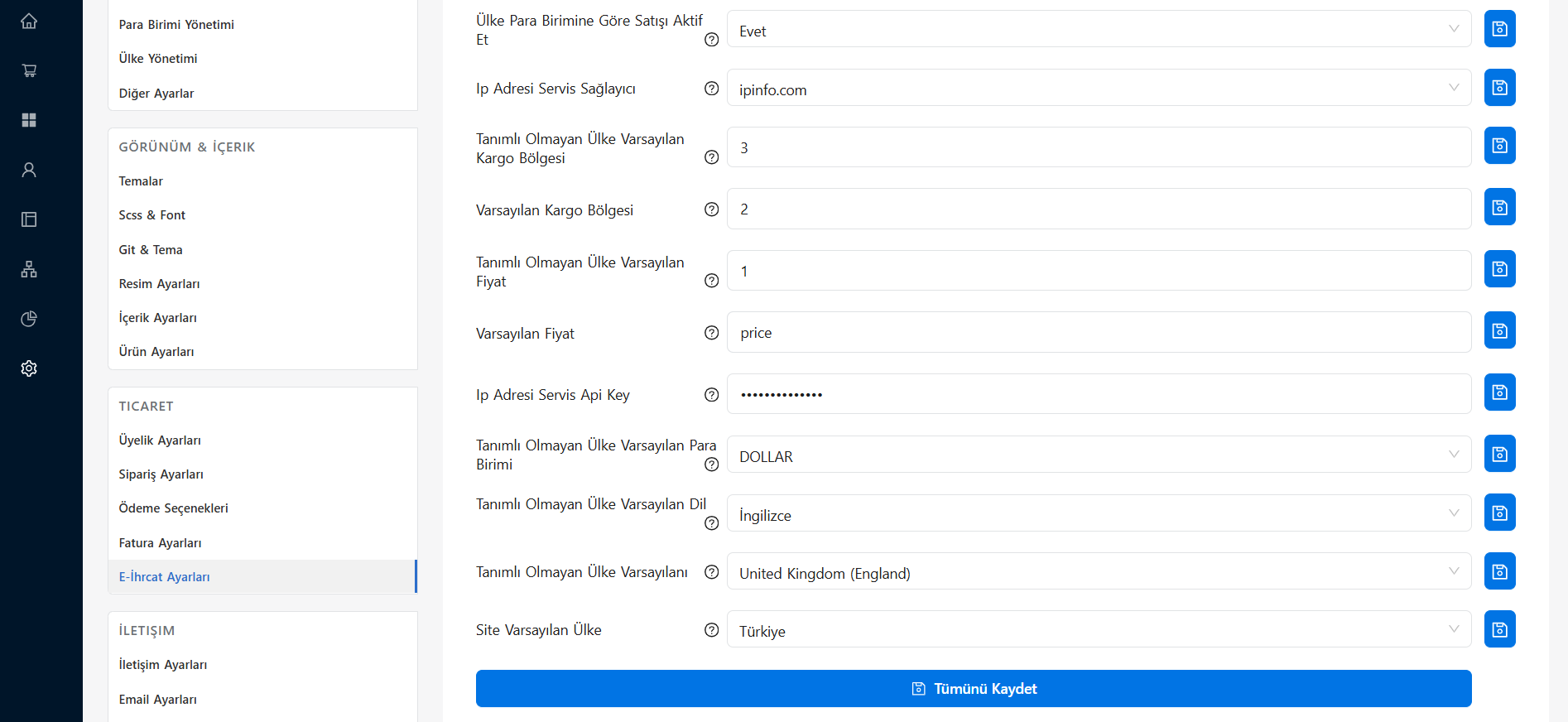 The E-Export Settings section in the E-Ticaret Shop admin panel
In the table below you can review what each setting on this page means and how you should use it:
Setting Details
| Setting Title | Description and Usage |
|---|---|
| Enable Sales by Country Currency | When set to "Yes", the country of the user connecting to the site is detected and that country's local currency is activated automatically. |
| IP Address Service Provider | The field where you select the service used to detect which country users are connecting from (e.g. ipinfo.com). |
| Default Shipping Zone for Undefined Country | Determines which shipping zone (by ID) will be used by default when a customer arrives from a country you have not specifically defined in your system. |
| Default Shipping Zone | Refers to the ID of the default shipping zone the site uses generally and as standard. |
| Default Price for Undefined Country | Specifies which price number / price type will be used for product pricing when a visitor arrives from a country with no special price or exchange rate defined. |
| Default Price | Specifies your site's standard price column (generally used as price). |
| IP Address Service Api Key | Where you enter the secret API key given to you by the IP address service provider you selected (e.g. ipinfo). Filling in this field is mandatory for location detection. |
| Default Currency for Undefined Country | You select the currency (e.g. DOLLAR) in which prices will be shown when a visit comes from a country that is not present/defined in the system. |
| Default Language for Undefined Country | Determines the default language (e.g. English) in which the site opens for the customer when a visit comes from an undefined country. |
| Undefined Country Default | You select the default country (e.g. United Kingdom (England)) the system will use as a basis for a user whose location cannot be fully detected or who is undefined. |
| Site Default Country | The main country where your e-commerce site's actual headquarters and standard operation are located (e.g. Türkiye). |
💡 Tip: Regularly checking the limits and operating status of your IP service provider (e.g. ipinfo.com) is important for offering your visitors an uninterrupted experience. Do not forget to press the "Save All" button after changing the settings.