Brand Management
This is the section where you can create and edit the brands (manufacturers) to which your products are affiliated and manage their active/passive status.
Brands help customers filter and find the products they are looking for on your site more easily and add a corporate look to your site.
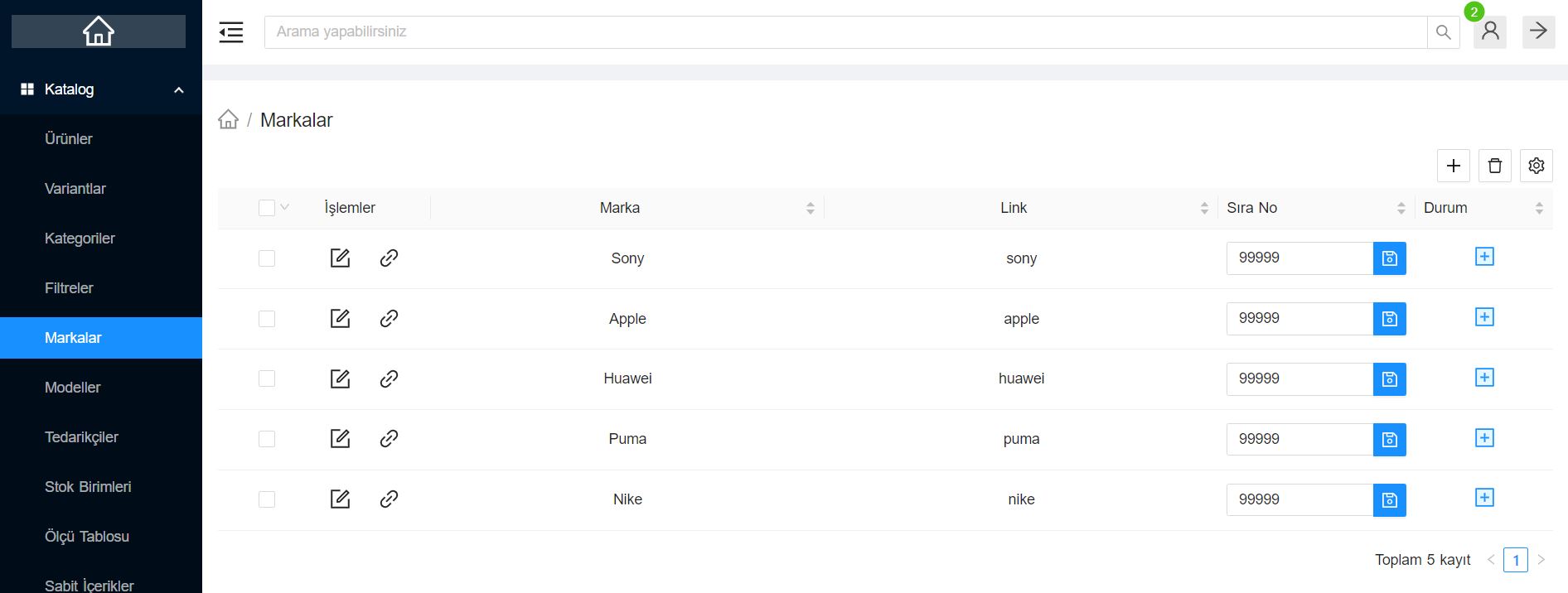
What Can You Do?
You can perform the following operations on the brand management page:
- Adding a New Brand: You can pre-define each new brand you will sell on your site to this list.
- Brand Logo: By uploading brands' logos, you can provide a more visually appealing experience in the "Our Brands" slider or filtering areas on the frontend.
- Determining Sorting: You can ensure that brands that are sold frequently or that you want to feature are displayed at the top of the menus by giving them a sequence number.
- Details and Description: You can increase your performance in search engines by entering brand-specific SEO descriptions and promotional texts.
Brand - Product Matching
After defining a brand to the system from this screen, you can easily select it from the Brand drop-down list on the detail page and associate it with the product when adding or editing any product.